
By Cap City Injury Attorneys14 min read
How to Report an Uber Accident in Texas and Preserve Your Claim
Learn how to report an Uber accident in Texas, document injuries, preserve trip details, and communicate carefully with insurers after a crash.
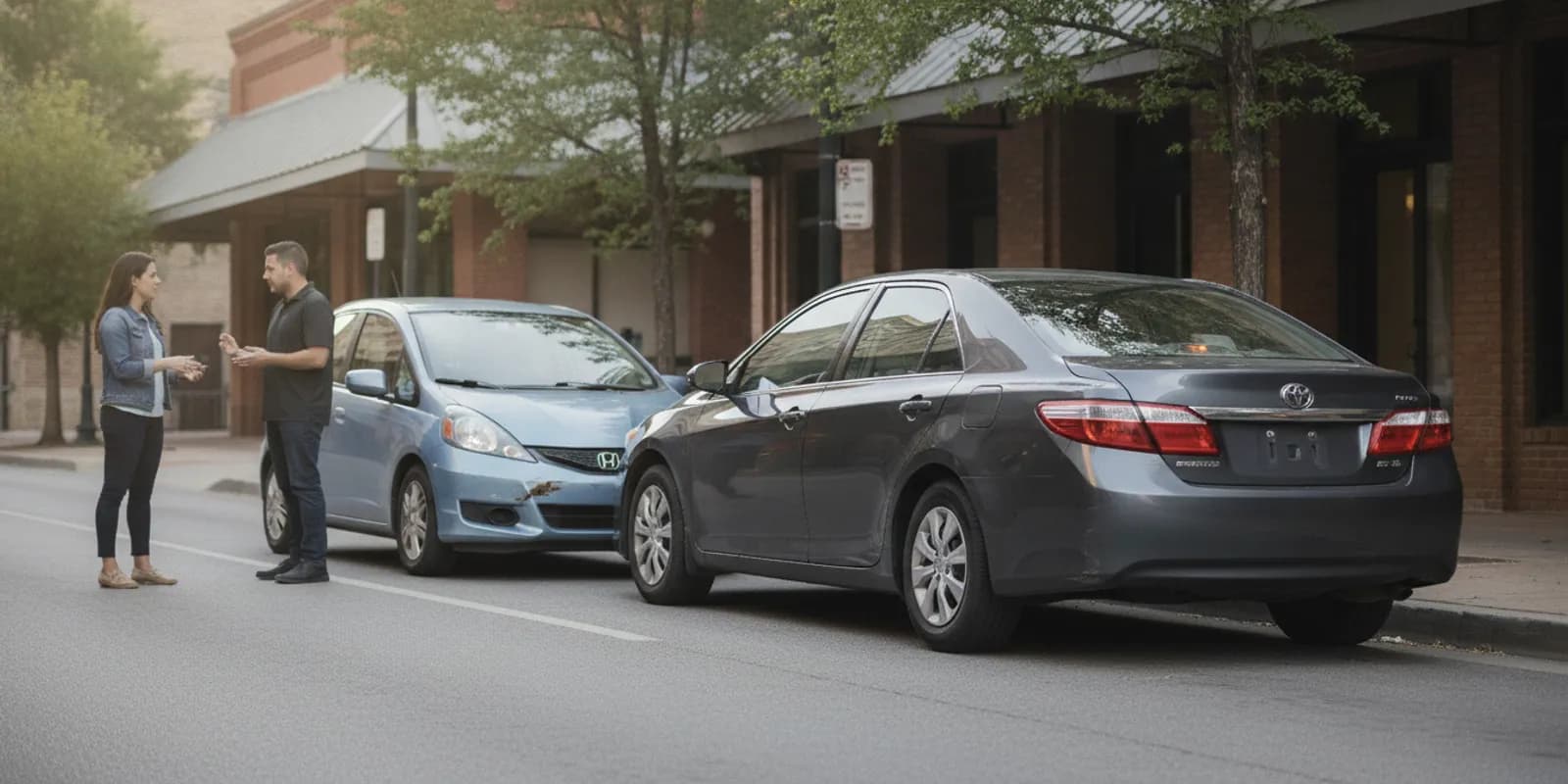
If you are searching for how to report an Uber accident, start with safety, then make a clear record of what happened. A report to Uber, the police, or an insurer documents information; it does not decide who caused the crash or what insurance must pay. Riders, drivers, pedestrians, cyclists, and occupants of other vehicles can take practical steps to protect their health and preserve details.
Call to discuss your situation
What should you do immediately after an Uber crash?
First check for injuries and move to a safer place if you can do so without worsening an injury. Call 911 for an emergency, a serious injury, an unsafe roadway, or a situation that needs police or fire assistance. Do not leave the scene simply because the vehicles seem drivable. If you are a passenger and can safely exit, move away from traffic.
Do not argue about fault or speculate about what happened. Share factual information and cooperate with emergency responders. If the crash is in Austin or elsewhere in Central Texas, note the road, intersection, direction of travel, nearby landmarks, and time. These simple details may help you or an investigator identify the location later.
Texas law requires drivers involved in certain crashes to stop and provide information and assistance. The precise duties can depend on the circumstances. For an overview of relevant state rules, see the Texas Department of Transportation's road safety information. If unsure what to do at the scene, prioritize safety and follow instructions from law enforcement.
Who should report an Uber accident?
Anyone directly involved can make an appropriate report: the Uber driver, a passenger, a driver or occupant in another vehicle, or a pedestrian or cyclist. A witness can also provide information to police or the people involved. If you are hurt, ask someone you trust to help with calls and records rather than delaying care to complete an app form.
Different reports serve different purposes. An app report alerts the rideshare platform to a trip-related incident. A police report records information gathered by responding officers. An insurance claim starts communication with an insurer. These are not interchangeable, and making one does not automatically complete the others. A report may also be useful even when the person filing it is not sure which party caused the impact.
How do you report the crash through the Uber app?
If you were a rider, open the trip in the app and use its help or safety options to report a crash or safety incident. If you cannot access the trip, use the app's available support route and provide the trip date and approximate time. App screens and procedures may change, so follow the current instructions shown in your account.
If you were driving for Uber, use the driver app's incident or safety reporting option and give a concise factual account. A report should identify the trip, where and when the collision happened, the people involved, and whether anyone reported an injury. If you do not know an answer, say so rather than guessing. If the app allows attachments, add only clear, relevant material and retain the original files separately.
Keep a copy or screenshot of the confirmation, any case or reference number, and the messages you receive. Save the exact wording of your submission when possible. Do not assume that an in-app report has notified police, your personal auto insurer, another driver's insurer, or any other potentially relevant party. Make a short list of all parties you may need to notify, then mark the date and method of each contact.
What information should your report include?
Keep the report organized and specific. A useful checklist includes:
- Date, approximate time, and precise location, including the nearest intersection or exit.
- Your role: passenger, rideshare driver, other driver, pedestrian, cyclist, or witness.
- Trip status and relevant trip details, such as pickup or destination, if known.
- Vehicles involved, direction of travel, visible damage, and road or weather conditions.
- Names and contact details exchanged at the scene, if available.
- Whether anyone appeared injured and whether emergency services responded.
- Police agency and report or incident number, if one was provided.
- Photos, videos, witness details, and any follow-up medical care.
Separate what you personally observed from what another person told you. For example, write, “The other car entered the intersection from my left,” rather than making a legal conclusion such as, “The other driver was negligent.” Clear, neutral reporting is more useful than speculation.
A helpful account follows the sequence of events. Begin with where you were and what you were doing, then describe what you saw immediately before impact, the contact itself, and what happened afterward. Use plain details such as “the vehicle struck the rear passenger-side door” instead of “the driver caused a dangerous crash.” If you remember only part of the sequence, state that limitation. Do not fill gaps just to make a report sound complete.
Review your draft before sending it. Check spelling of names, date, location, and contact information. Distinguish an approximate time from an exact time and say when a detail comes from memory. If you later discover an error, contact the appropriate reporting channel and ask how to add a correction or supplemental information. Keep a copy of both the initial report and any update.
How can you preserve trip and crash evidence?
Keep digital records as soon as you can. Save a screenshot or download of the trip receipt, driver or rider details displayed in the app, route information, pickup and drop-off locations, and relevant messages. Preserve the date and time of each record. Do not edit original photos or delete app notifications, texts, emails, or voicemail about the incident.
At the scene, if it is safe, take wide photographs showing the positions of vehicles and the surrounding road, then closer photographs of damage, license plates, traffic controls, and visible hazards. Take pictures from more than one angle. Ask witnesses for names and a reliable way to contact them; do not pressure anyone to adopt a particular account.
Think in layers when taking photographs. A wide image can show where the cars stopped in relation to a junction or curb. A medium-distance image can show the damage to each vehicle. Close images can record broken parts, tire marks, or a damaged child seat. Include landmarks where possible, but do not stand in a live lane or put yourself at risk to obtain a picture. If traffic conditions make photographs unsafe, leave the scene documentation to responders.
Keep damaged items, receipts, and records related to the event. If a phone or camera captured relevant video, preserve the original file and a backup. Write down what you remember soon after the crash, including the sequence of events and any changes in symptoms. Memory can become less precise over time. A dated note can include who was present, what each person said, and what you did next, while clearly identifying uncertain details.
Some evidence, such as nearby business camera footage or vehicle data, may not be kept indefinitely. Make a note of potential sources and seek appropriate help promptly if you believe important records could be lost. Avoid accessing another person's account or device without permission. Keep a simple evidence log: identify the item, where it came from, when you saved it, and whether it is an original or a copy.
For example, a passenger might preserve the trip receipt and support conversation, while a pedestrian might keep photographs of the intersection, damaged bicycle, and witness contact details. A driver may also retain vehicle repair estimates and app trip status. The records differ by role, but the organizing method is the same: save the original, label it with the date, and avoid altering its contents.
What should you do about injuries and medical records?
Get medical attention when needed, including for symptoms that appear after leaving the scene. A medical professional can evaluate your condition and recommend care. Tell the provider when and how symptoms began, and follow medical instructions. Do not dismiss pain simply because the collision seemed minor or you were able to walk away.
Keep discharge papers, visit summaries, prescriptions, bills, and records of follow-up care. Make a simple dated note of symptoms and how they affect ordinary activities. This is a practical record, not a substitute for a clinician's assessment. If an injury worsens or you have urgent symptoms, seek appropriate medical care rather than waiting on an insurance response.
When describing symptoms, be as concrete as you can without diagnosing yourself. Note when a symptom started, where you feel it, what makes it better or worse, and whether it changes over time. If you miss work or need help with ordinary tasks, keep dates and related documents. Do not exaggerate or minimize what you experience; accurate information is more useful for your own care and for later review.
How should you communicate with insurance companies?
Identify each insurer that may be involved, but do not assume a particular policy applies simply because an Uber trip was underway. Coverage can depend on the people involved, the trip's status, applicable policies, and the facts. This article does not determine coverage or liability.
When you notify an insurer, provide basic factual information and ask how to submit supporting records. Record the representative's name, date, claim number, and any requested next step. Be accurate. If you do not know or remember something, say so. Avoid guessing about speed, distance, or injuries.
You may be asked for a recorded statement, medical authorization, or other documents. Ask what the request is for and take time to understand it before agreeing or signing. Do not sign a release or accept a settlement before you understand what it covers and whether it could affect unresolved injuries or claims. If communications become complicated, you can consult a qualified Texas attorney about your options.
Keep conversations orderly. After a call, write down its date, the caller's name and company, the claim number, the questions asked, and the documents requested. Ask how and where to send documents and whether the insurer wants copies or originals. Do not send sensitive material through an unverified channel. Save email confirmations and delivery receipts with the rest of the claim file.
A practical folder can have separate sections for app records, police documents, medical information, photographs, repair or property records, and insurer correspondence. Use a short filename with date and source, such as “2026-10-25-trip-receipt.” A simple timeline helps connect events: crash, first report, medical visit, insurer contact, and any later update. This makes it easier to answer questions consistently without relying on memory alone.
For more context about next steps after an accident, read this guide to next steps after an accident and review the firm's personal injury practice areas. If you were involved in a broader vehicle collision, the overview of Texas car accident laws may also be useful. These resources provide general context; they do not replace instructions from emergency responders, medical providers, or a review of your specific situation.
How does reporting differ by role?
| Person involved | Useful reporting step | Records to preserve |
|---|---|---|
| Rider | Use the trip's help or safety option in the app; seek emergency help when needed. | Trip receipt, driver and route details, support messages, and medical records. |
| Rideshare driver | Report through the driver app and notify relevant insurers as appropriate. | Trip status, app confirmation, vehicle photos, and exchanged information. |
| Other driver or occupant | Exchange required information, contact police when appropriate, and notify your insurer. | Scene photos, witness contacts, vehicle damage, and claim correspondence. |
| Pedestrian or cyclist | Request assistance if injured and report the incident to police or appropriate parties. | Location, clothing or equipment damage, witness details, and treatment records. |
| Witness | Offer a factual account to police and provide contact details to involved parties. | Your own dated notes and any original photos or video. |
The table is a starting point, not a complete legal checklist. For instance, a rider who was taken from the scene for care may need another person to preserve trip details. A witness who recorded video should keep the original file and share it only through an appropriate channel. A driver with no app access can record the trip date, route, and account details they do remember, then ask support how to submit the information.
What common mistakes should you avoid?
- Leaving without a record: Do not rely only on memory. Save the trip details and document the scene where safe.
- Assuming the app report handles everything: Check separately whether a police report or insurer notification is needed.
- Guessing or admitting fault: Stick to what you know and avoid conclusions at the scene or in written reports.
- Delaying care: Seek medical evaluation when appropriate and keep the resulting records.
- Deleting messages or files: Preserve original digital evidence and back it up.
- Posting details publicly: Avoid sharing sensitive trip, medical, or claim information on social media while facts are being reviewed.
Another avoidable problem is treating every form as if it asks for the same thing. An app report may focus on the trip and safety incident; an insurer may ask about the claim; and an officer may document the scene. Read each question carefully. Answer the question asked, add relevant context when needed, and do not copy an earlier report mechanically if it contains a mistake or does not fit the form.
Keep originals in a safe place and work from copies when sending documents. If you are asked for information you do not have, explain that and ask whether you can provide it later. Do not promise a date for records you cannot control, such as a police report or medical file. A clear note of what is missing and who you contacted can help you follow up without confusing an estimate with a confirmed fact.
Every crash is different. Reporting promptly and keeping an accurate record can help clarify what happened, but it cannot guarantee a particular insurance decision or legal result. For general information about injury claims in the Austin area, see the firm's Austin injury lawyer resource.
Frequently Asked Questions
Does reporting an Uber accident mean Uber accepts responsibility?
No. An app report records an incident and begins a communication process. It does not by itself establish who was at fault, decide which insurance applies, or promise payment.
Should I call police after an Uber accident in Texas?
Call 911 when there is an emergency, serious injury, roadway danger, or other urgent need. For other crashes, follow applicable reporting requirements and local instructions. If officers respond, ask how to obtain the report number or a copy.
What if I cannot access the trip in the app?
Use the support or safety contact options available in your account. Provide the date, approximate time, and trip details you have, and save the response and reference number. If you were not the rider, keep your own records and report through the appropriate channels.
What if I feel fine but develop pain later?
Seek medical advice if symptoms develop or worsen. Record when you first noticed them and keep care-related documents. A later symptom does not determine fault or coverage, so continue to preserve the crash and trip information.
Does the driver, passenger, or another person have to report the crash?
Different people may need to make different notifications based on their role and the circumstances. A rider can notify the platform, while drivers and other involved parties may also need to contact police or insurers. An eyewitness can provide information but should report only what they actually observed.
Keep the records together and make a dated note of any new information as you receive it. A careful report is a useful first step, not a final decision about your rights.
More on the blog
Keep reading.
13 min read
What Should You Do After a FedEx Truck Accident in Texas?
Learn what to do after a FedEx truck accident in Texas, from urgent medical care and evidence to insurance calls and potential legal claims.
By Cap City Injury Attorneys
15 min read
What Does Legal Liability Mean After a Texas Injury?
Learn how Texas injury claims assess duty, fault, causation, shared responsibility, and damages, plus what evidence can help explain what happened.
By Cap City Injury Attorneys
Let's talk about your case.
Free case review, no obligation. We'll tell you straight whether we can help.